StreetSmart

A travel app concept that blends personalization, safety, and exploration—helping users discover authentic experiences with peace of mind.

Mobile Design

Project Overview

A smarter way to travel—personalized recommendations, real-time safety insights, and a seamless journaling experience.

StreetSmart is a mobile app designed to provide tailored travel recommendations, a journaling tool, and safety features for travelers. Using AI, geolocation, and user-generated reviews, StreetSmart helps users discover unique experiences while prioritizing safety.


My Role: UX Researcher & Designer (Design Lead)
Team: 5-person collaborative team (Project Manager, Research Lead, Design Lead, Prototyping Lead, Evaluation Lead)
Timeline: 16 weeks | Academic Capstone Project
Tools: Figma, Photoshop, Illustrator, Google Forms


Executive Summary

StreetSmart is a mobile travel app designed to solve the authentic discovery problem for time-constrained travelers. Through contextual inquiry with 10+ business and leisure travelers, we identified that existing apps like TripAdvisor prioritize popular tourist spots but fail to surface local gems or enable spontaneous, personalized decision-making.

Our solution combines preference-based recommendation grouping, real-time activity surveys, integrated journaling with photo/audio capture, and geo-fenced safety zones—all designed around our primary persona, Jerome, a tech-savvy university student who values spontaneity and authentic experiences.

Key Results:

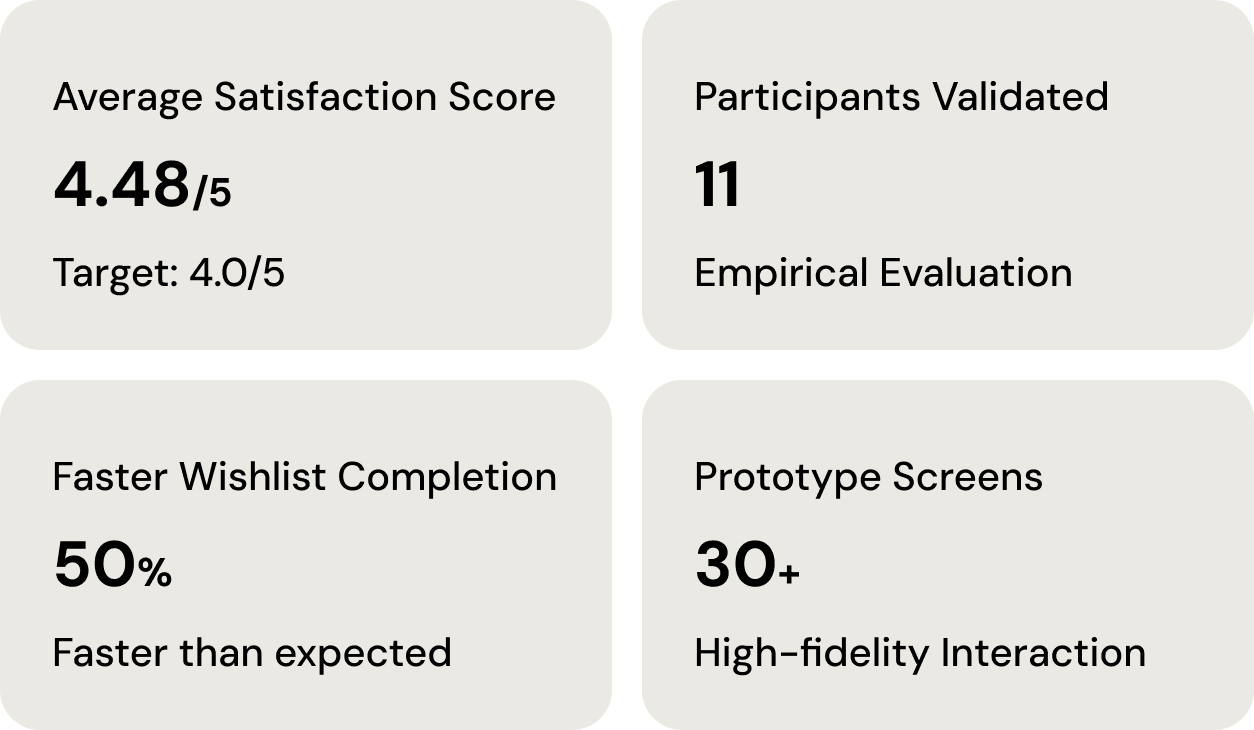
  • Achieved 4.48/5 average user satisfaction score (target: 4/5)

  • 11 participants validated through empirical evaluation

  • Wishlist feature completion time: 50% faster than expected

  • High-fidelity interactive prototype with 30+ screens


Problem Space

The Challenge: Business travelers typically have 2-3 days in unfamiliar destinations with packed work schedules, leaving only 2-4 hours daily for exploration. Current travel apps present three critical gaps:

  1. Generic Recommendations: Popular tourist spots dominate, hiding authentic local experiences

  2. Spontaneity Friction: Planning requires extensive research; in-the-moment decisions lack support

  3. Memory Documentation Burden: Post-trip photo organization and journaling feel overwhelming

Research Question: How might we help travelers—especially those with limited time—discover personalized, authentic local experiences while reducing planning friction and documentation burden?

Target Users

  • Primary: Leisure travelers (students, young adults) who value spontaneity and off-the-beaten-path exploration

  • Secondary: Business travelers needing quick, reliable suggestions during work trips

  • Tertiary: Family planners seeking trusted recommendations for group travel


Research & Discovery

Research Methodology

Conducted comprehensive user research over 6 weeks:

  • 10+ Contextual Inquiries: Interviewed business and leisure travelers in natural settings

  • Work Activity Notes (WAN): Documented real-time travel planning behaviors and pain points

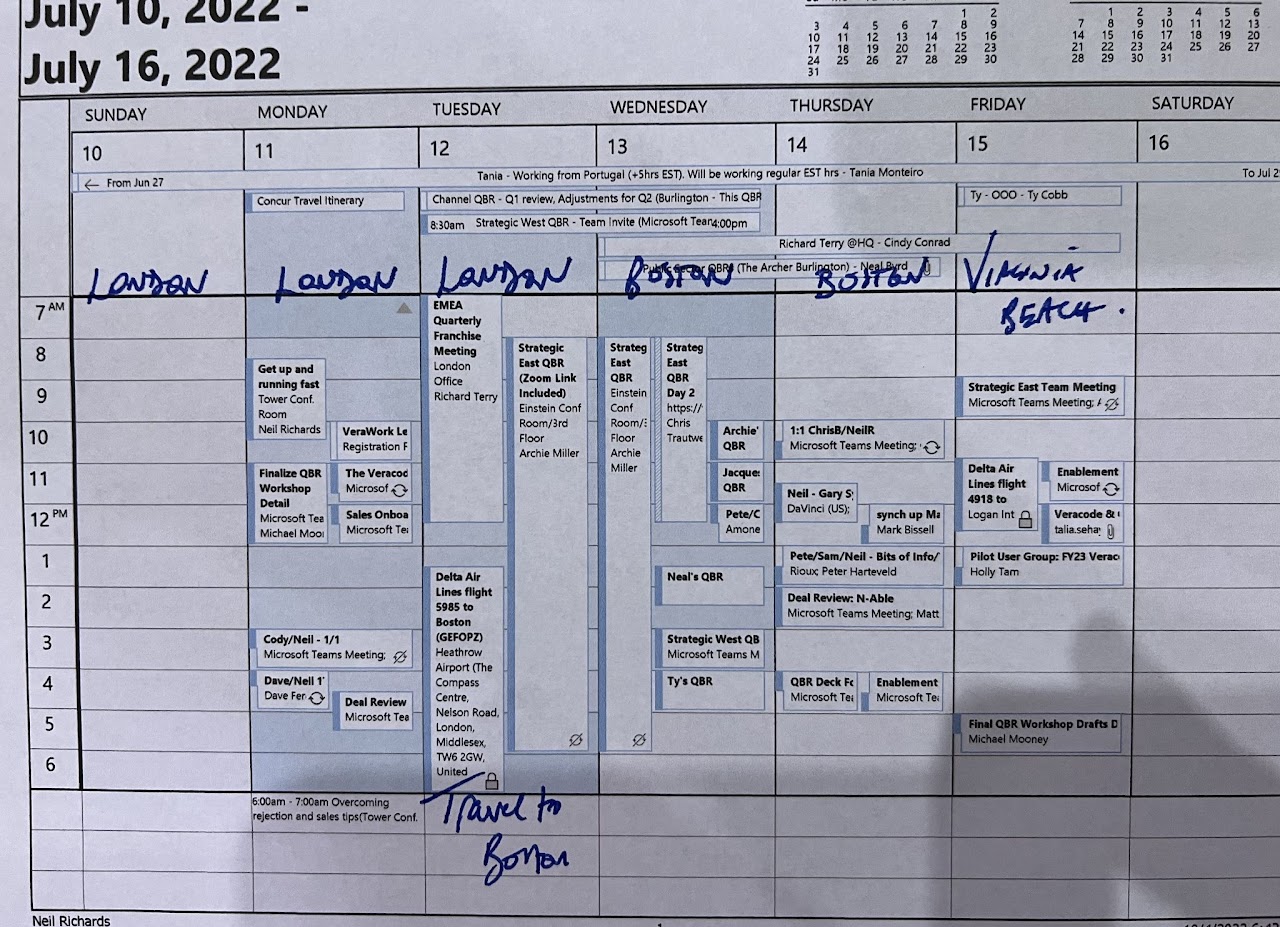
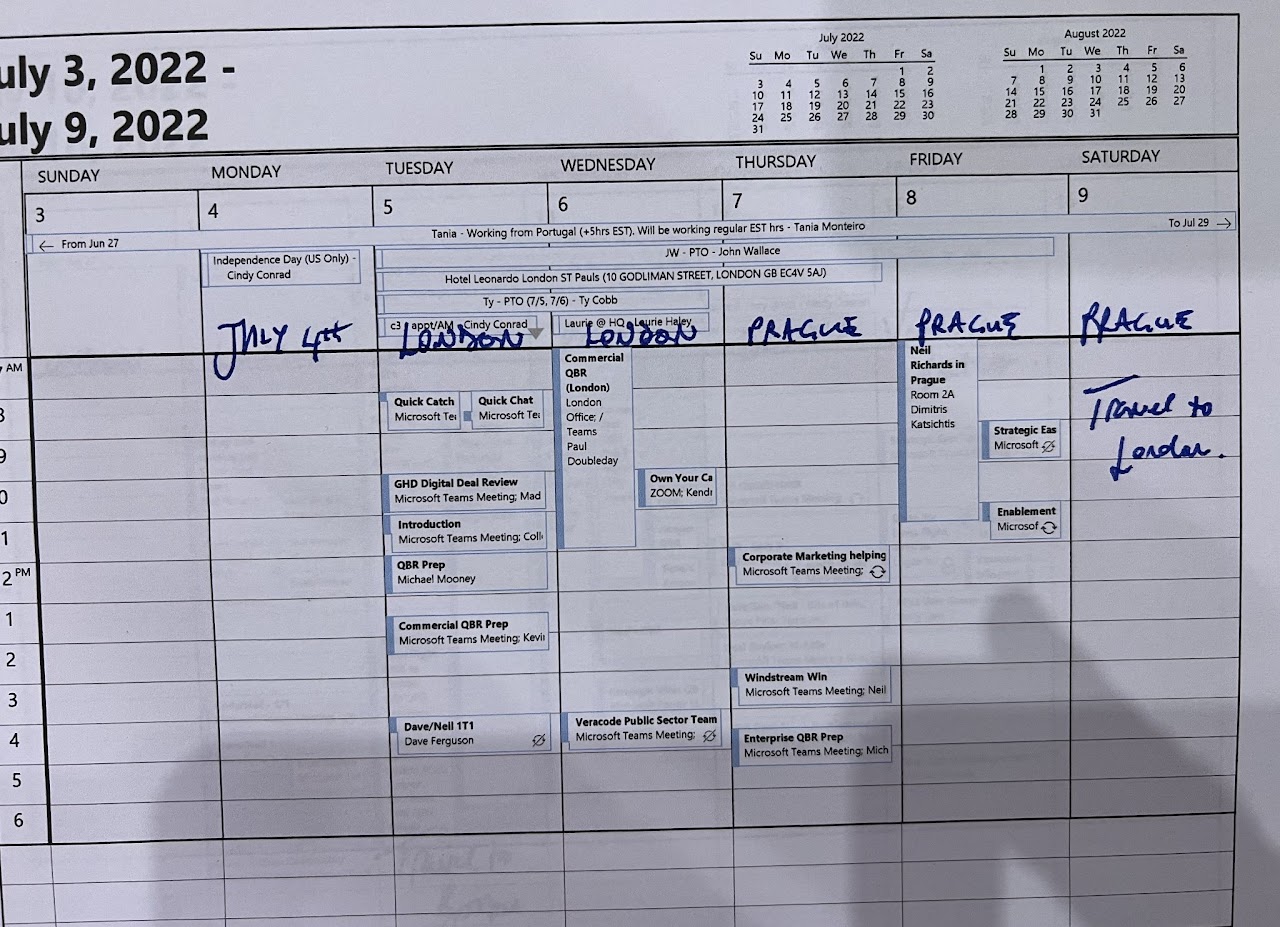
  • Work Artifacts Analysis: Examined calendars, itineraries, physical journals, and photo documentation methods

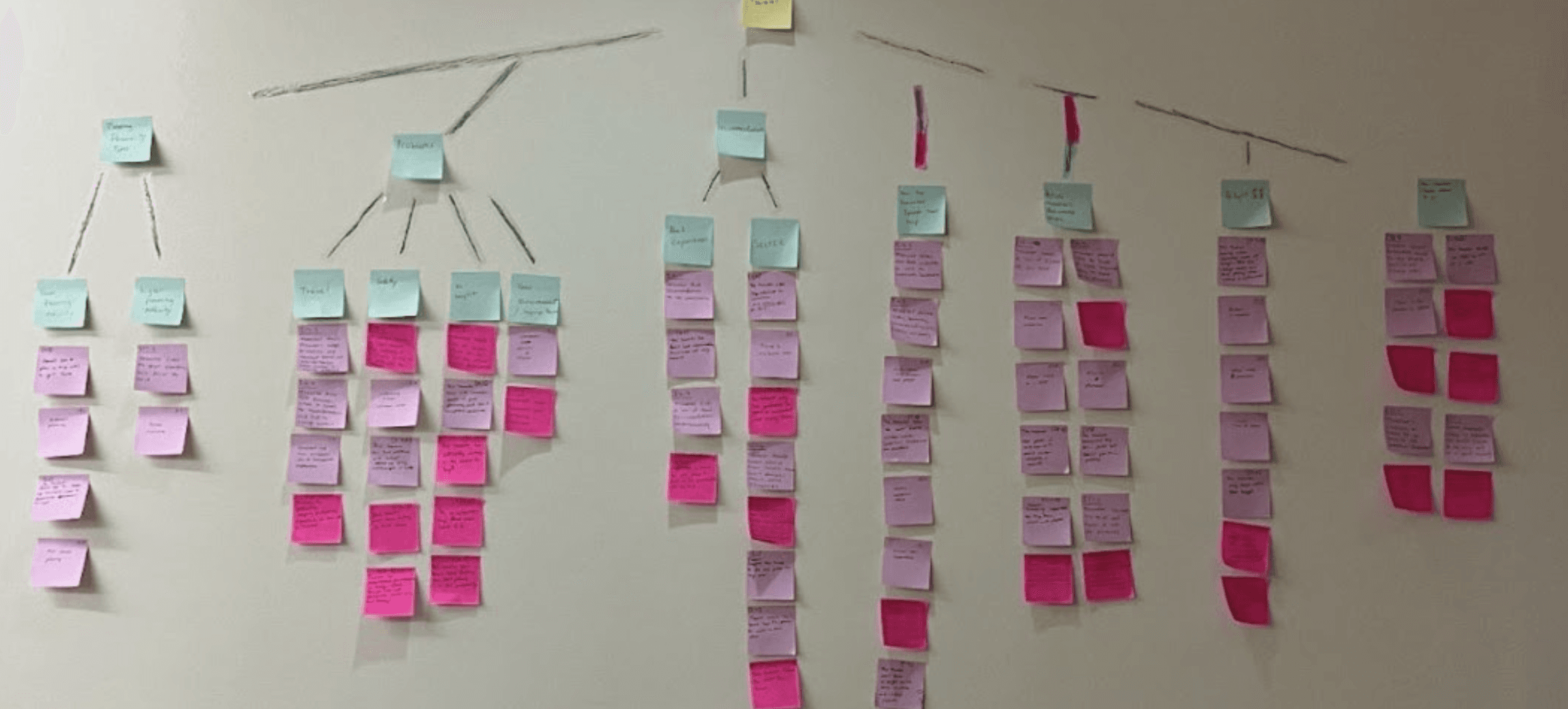
  • Affinity Diagramming (WAAD): Synthesized 100+ insights across diverse user groups to identify patterns

Key Insights from Research

  1. Time Scarcity with Exploration Desire

    • Business travelers have 2-4 hours free time daily but want meaningful, local experiences

    • "I don't want to waste my limited time on tourist traps"—Interview Participant

  2. Authenticity Over Popularity

    • Users actively seek hidden gems: street vendors, local performances, neighborhood restaurants

    • TripAdvisor reviews feel generic and commercialized

  3. Spontaneity vs. Structure Paradox

    • Users want flexibility for in-the-moment decisions AND structured itineraries for reservations

    • Calendar integration reduces friction but must not feel constraining

  4. Memory Documentation Friction

    • Post-trip: Hours spent organizing photos, writing journals from memory

    • In-trip: Reluctant to pause experiences to document them

    • "I regret not journaling during trips, but it feels like work in the moment"

  5. Safety as Invisible Priority

    • Travelers unconsciously assess neighborhood safety but lack data

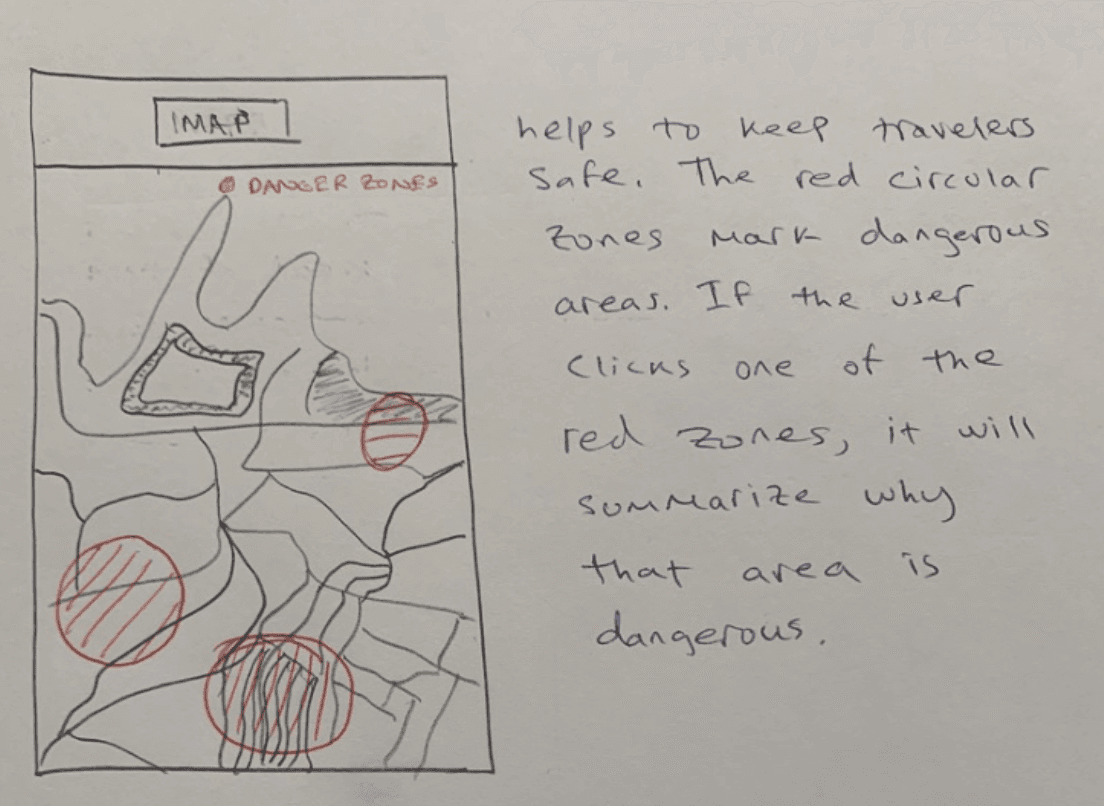
    • Geo-fenced danger zones would provide peace of mind without creating fear

  6. Budget Flexibility (Business Travelers)

    • Employer-covered expenses enable premium experience exploration

    • Less price-sensitive, more quality and convenience-focused

Supporting Data

  • 8/10 participants mentioned wanting "local" or "authentic" experiences

  • 9/10 struggled with photo/journal organization post-trip

  • 7/10 business travelers noted time constraints as primary frustration


Personas & User Modeling

Persona Development Process

Used goal-based consolidation from WAAD patterns to create three candidate personas representing distinct travel motivations:

  1. Persona #1: Spontaneous university student, tech-savvy, values exploration

  2. Persona #2: Family head, meticulous planner, prioritizes popular sites and credibility

  3. Persona #3: Business consultant, time-constrained, mixes work with leisure

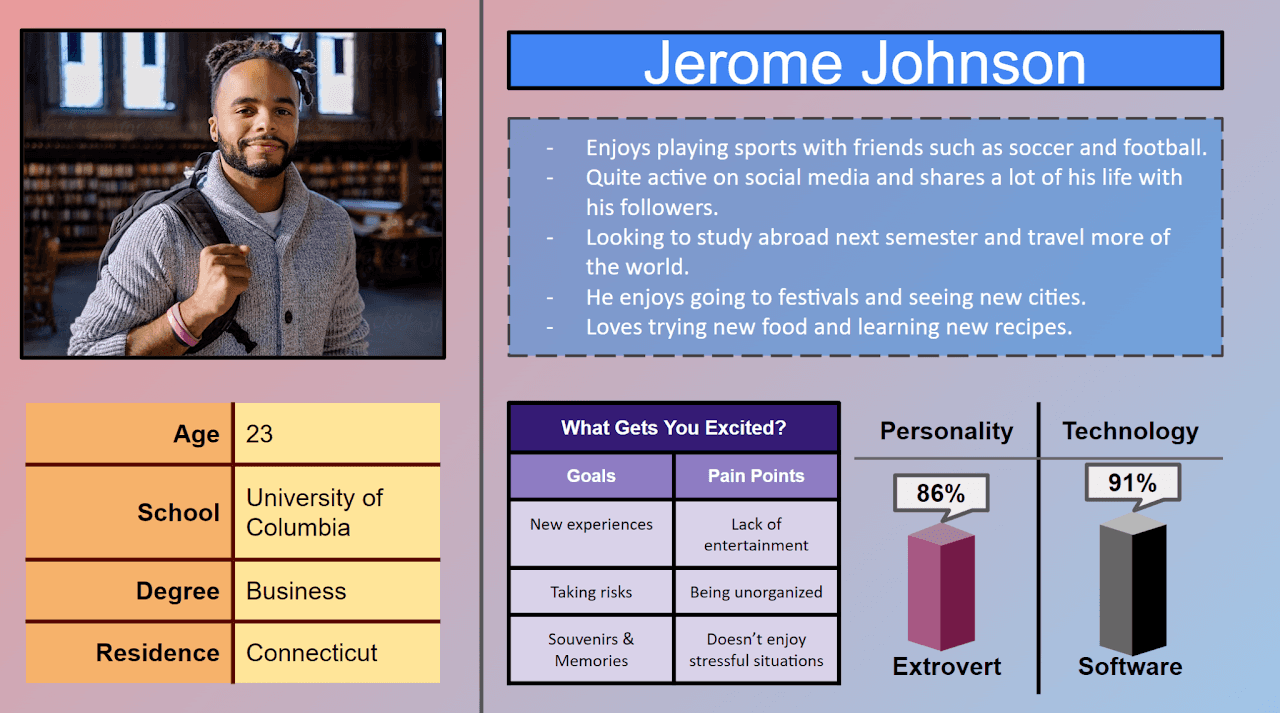
Primary Persona: Jerome Johnson

Demographics: 21-year-old University Student
Travel Type: Leisure Traveler
Travel Frequency: 3-4 trips/year during breaks
Tech Proficiency: High—prefers mobile-first solutions

Goals:

  • Discover unique, off-the-beaten-path locations not in guidebooks

  • Capture travel memories efficiently without disrupting experiences

  • Make spontaneous decisions based on current mood and location

Pain Points:

  • Overwhelmed by generic tourist recommendations on existing apps

  • Difficulty finding authentic local spots quickly

  • Time-consuming post-trip photo and journal organization

Behaviors:

  • Prefers flexible schedules over rigid hour-by-hour itineraries

  • Actively seeks recommendations from locals and other travelers

  • Values visual documentation (photos) and brief daily reflections

  • Willing to explore unfamiliar neighborhoods if safety is assured

Artifacts:

  • Travel pillow tracked with mileage after every trip (ritual consistency)

  • Dorm wall covered in photos from previous travels (visual memory curation)


Design Process & Ideation

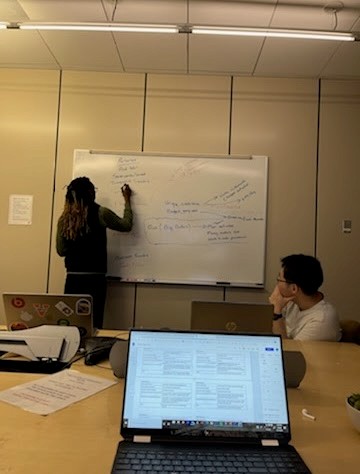
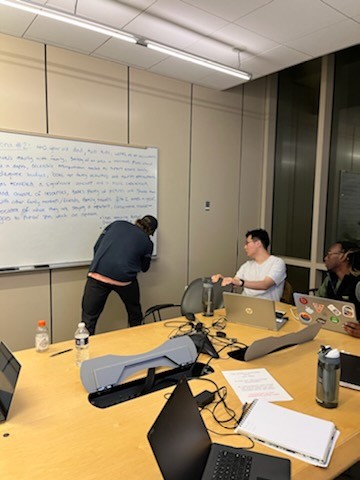
Design Studio & Collaborative Sketching

Conducted iterative design sessions with 3+ sketches per feature from each team member:

Process:

  1. Synthesized ideation results to establish high-level product understanding

  2. Referenced envisioned flow models from Phase 2 to identify workflow barriers

  3. Each member sketched individual solutions for key features

  4. Group discussion evaluated pros/cons, selected best elements

  5. Created hybrid designs incorporating strongest ideas from each sketch

Metaphor Development

Established "home away from home" as guiding metaphor:

  • App as safety net in unfamiliar territory

  • Trusted companion with local knowledge

  • Emotional comfort in new environments

Key Design Decisions

Three-Tab Module Navigation:

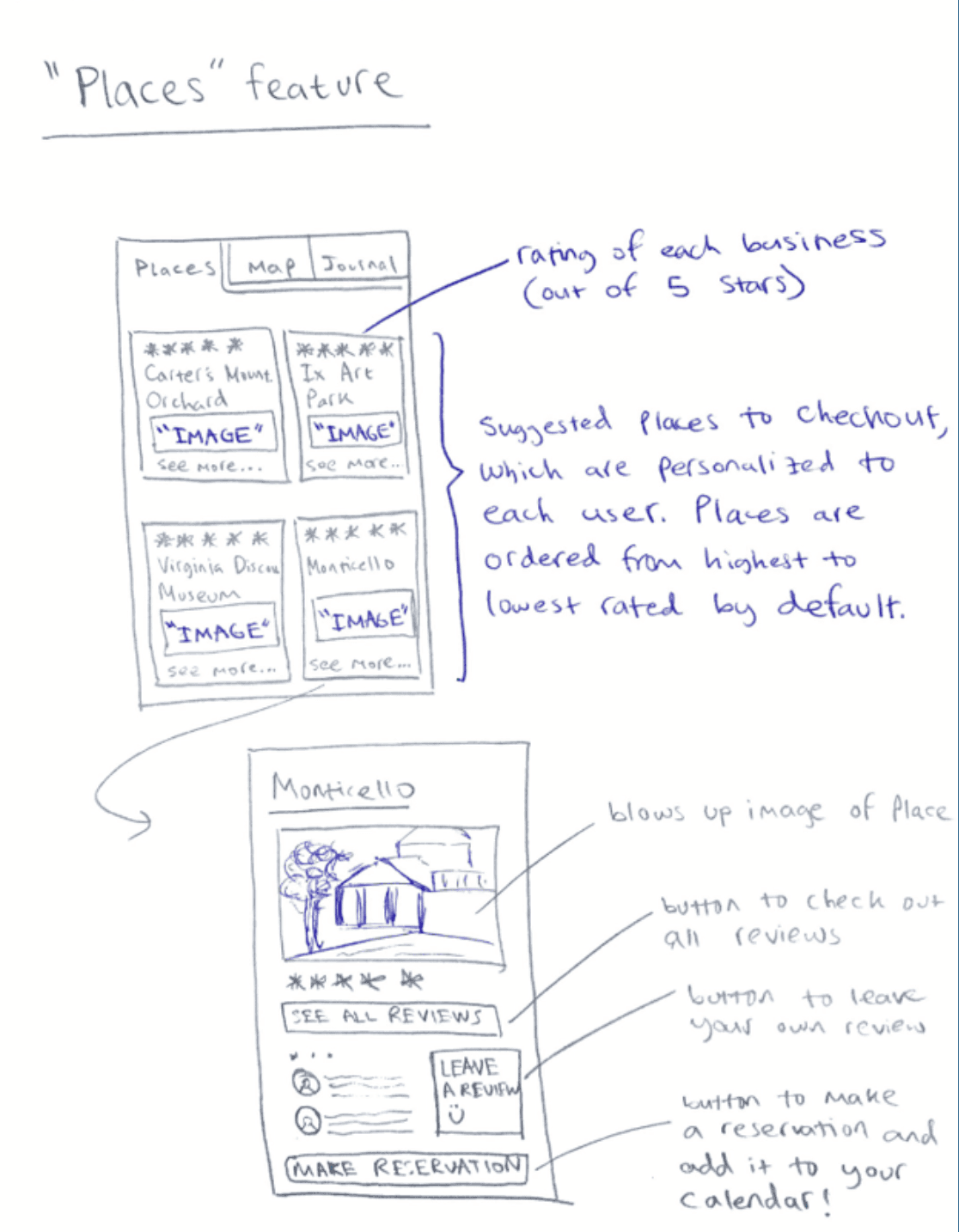
  • Places: Discovery, filtering, reviews, 360° venue views

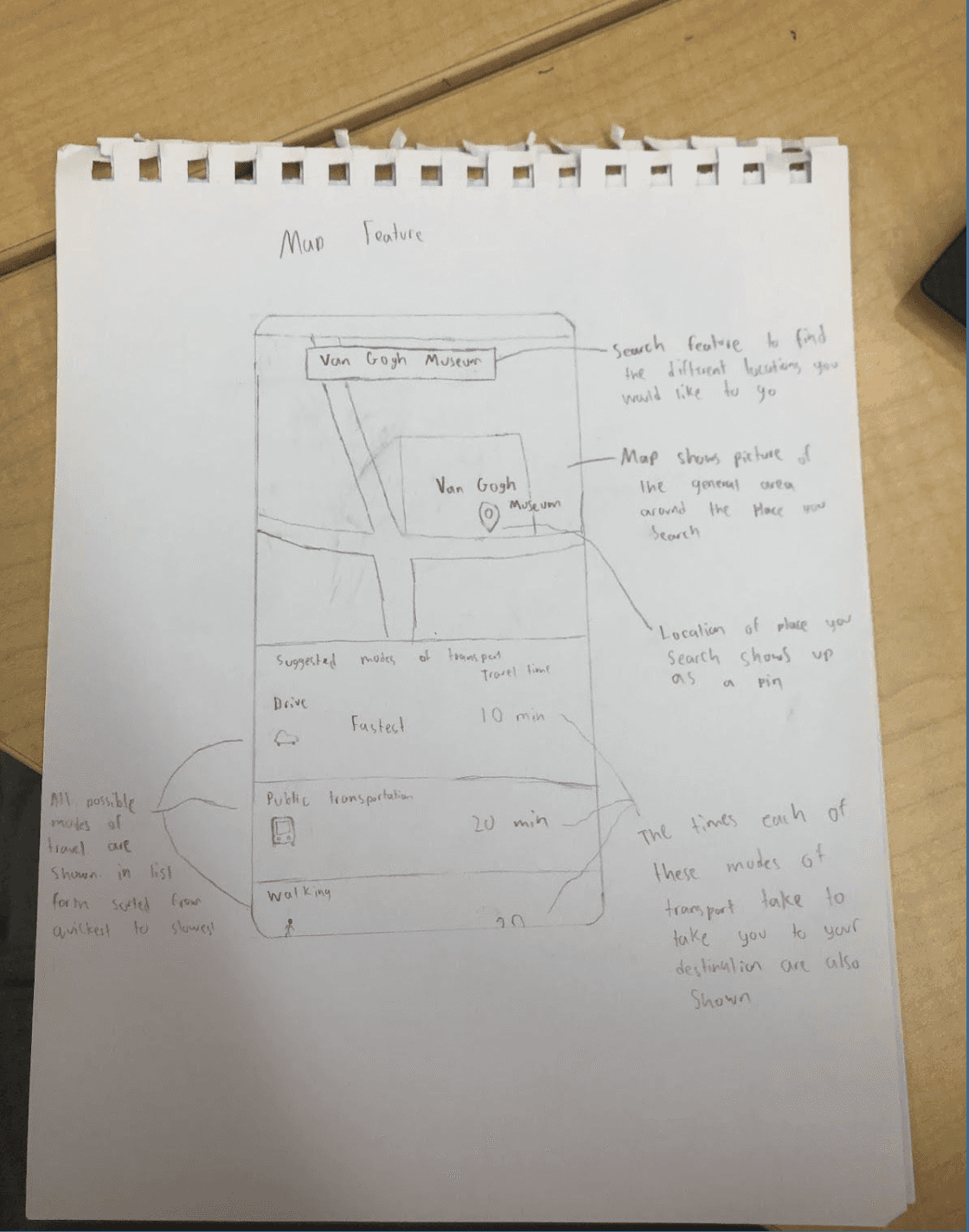
  • Map: Location visualization, transportation routing, proximity awareness

  • Journal: Entry creation, photo/audio integration, memory organization

Rationale: Vernacular terminology creates natural mappings—users instantly understand button functions without learning curve.

Work Role Task Analysis

Traveler Tasks:

  • Complete initial preference survey (4 minutes, ~30 questions)

  • Filter places by activity type

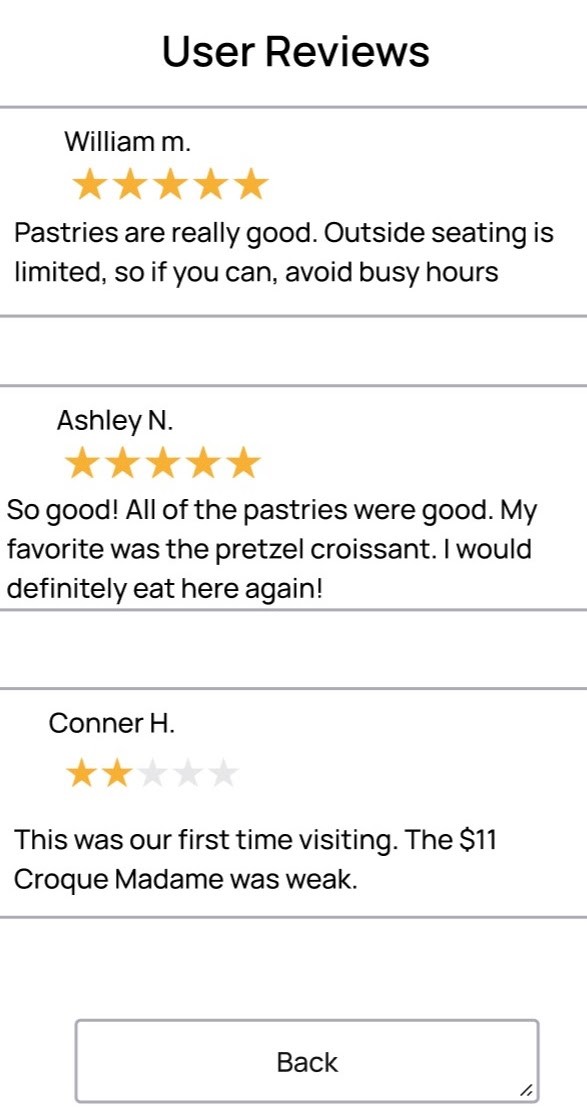
  • Write reviews, view 360° location footage

  • Access map with transportation options and safety information

  • Create journal entries with photo/audio integration

Business Tasks:

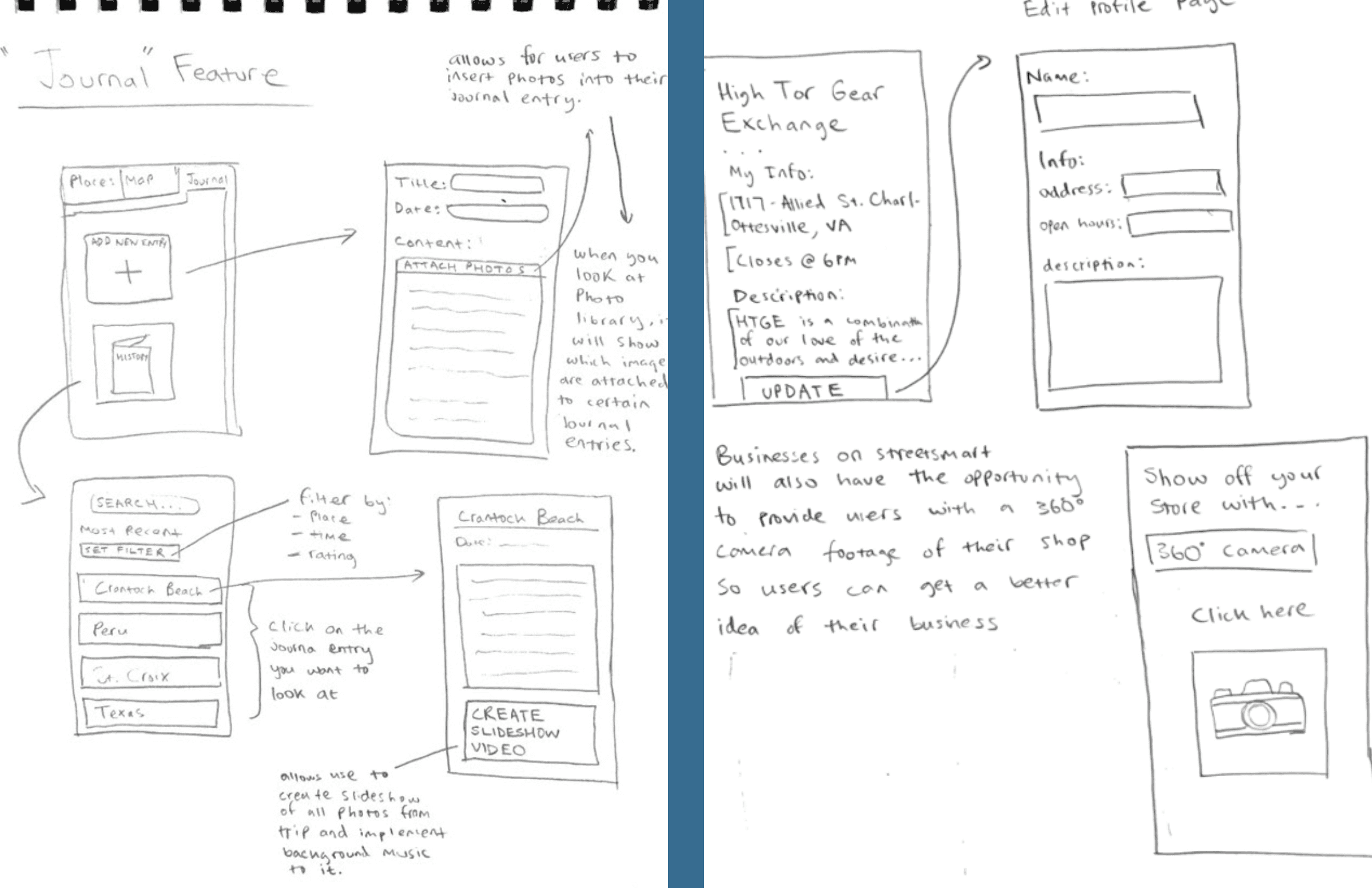
  • Create business account

  • Edit profile with photos, 360° footage, descriptions

  • Respond to user reviews

  • Integrate reservation software

Client Feedback Integration (Representative User: Alex Howell)

Validated:

  • Simplistic, user-friendly design approach

  • Clear vernacular terminology ("Places," "Map," "Journal")

  • Natural mappings for intuitive navigation

Suggestions Implemented:

  • Made the journal feature optionally public with privacy settings

  • Added social sharing capability (addressed in Phase 4)

  • Balanced social interaction with privacy concerns


Conceptual Design

Designer's Mental Model

Created a system operation framework across three perspectives:


Interaction Perspective:
User navigates via three-tab bar accessible from any screen, enabling spontaneous task-switching. All features available non-sequentially—reflecting real traveler behavior (e.g., journaling mid-exploration).


Ecological Perspective:
App functions across three travel stages:

  • Before: Planning and destination research

  • During: Real-time suggestions, navigation, and documentation

  • After: Memory review through saved journals and photos

Offline Capability: Users can view saved content, upcoming calendar events, and create journal entries without an internet connection. Online features include activity selection, safety information, FAQs, and reviews.


Emotional Perspective:
Initial survey creates personal investment and curiosity. Tailored suggestions make users feel understood. Motivational statements ("Plan complete! Your last task is enjoying the travel!") generate feelings of achievement. Journal feature builds lasting relationships through nostalgic memory reliving.


Breakpoint Analysis

Potential Miscommunication #1: Location Data Privacy

  • User Concern: Personal location tracking feels invasive

  • Design Solution: Locational data only visible to StreetSmart (not other users), used solely for distance calculation and safety zone alerts. Clear privacy disclosure during onboarding.

Potential Breakpoint #2: Review vs. Journal Confusion

  • User Concern: Long reviews blurring into personal journal entries

  • Design Solution: Reviews: Short, public, location-specific feedback. Journal: Private (or selectively shared), trip-focused personal reflections with multimedia.


Scenarios & Storyboards

Jerome's Paris Trip Storyboard

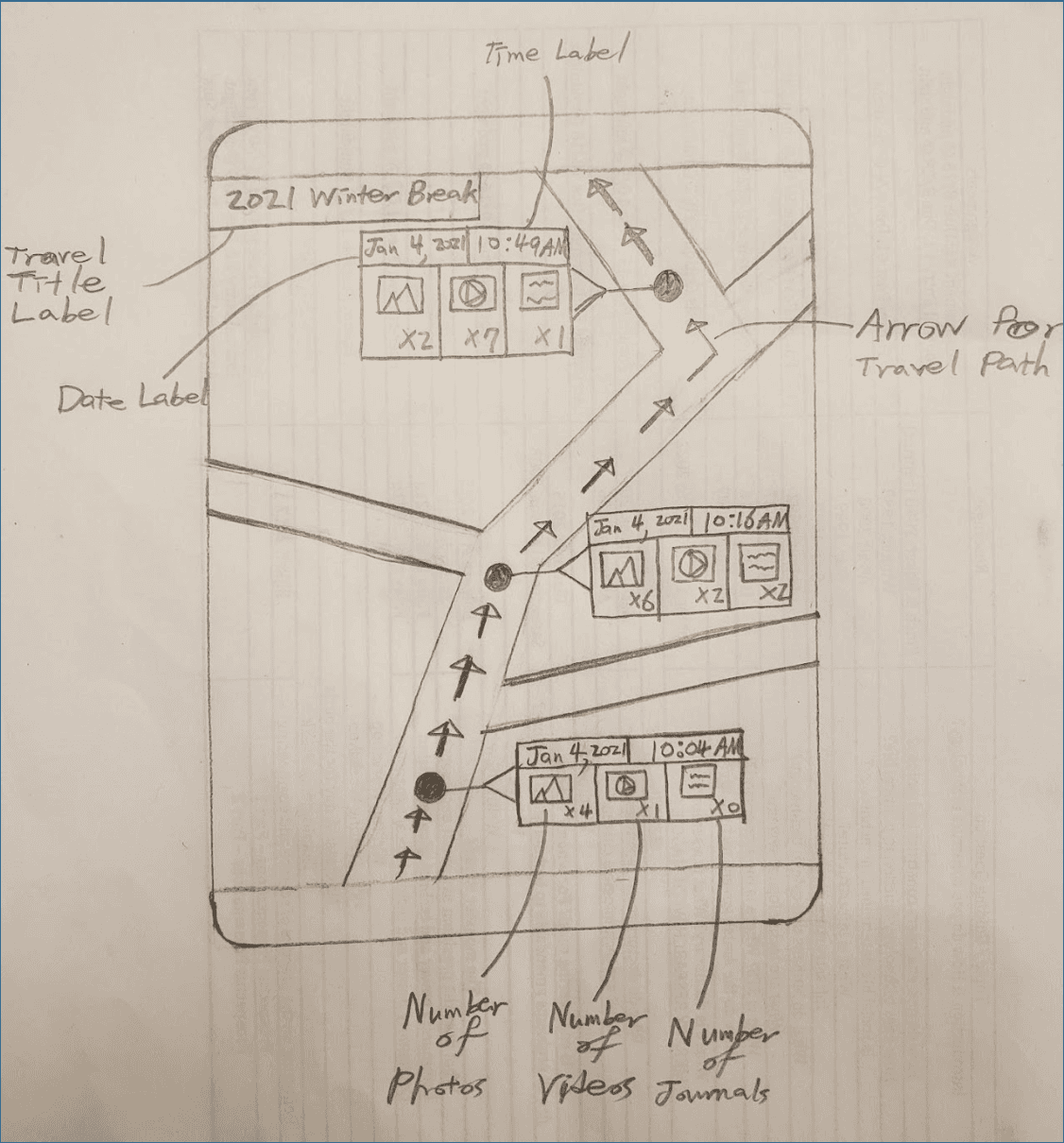
Created visual narrative following primary persona through complete StreetSmart experience:

  1. Airport (Pre-Arrival): Jerome downloads StreetSmart, completes preference survey while waiting

  2. Landing: App notification prompts trip start, offers FAQ sheets (train system, basic French, city knowledge)

  3. Free Evening: Uses activity suggestions to find date restaurant based on current mood

  4. Post-Dinner: Checks safety map for scenic walk route back to apartment

  5. Midday Relaxation: Creates journal entry at picnic spot—uploads photos, writes reflection

  6. Class Break: Browses tailored activities, adds three to calendar, invites classmates

  7. Spontaneous Outing: In-the-moment survey suggests nearby restaurant for date

  8. Scheduled Tour: Calendar reminder notifies of pre-booked bus tour

  9. Group Activity: Friends ask where he finds activities—recommends StreetSmart


Storyboard Development Rationale

Chose Paris as location (familiar to team, common study-abroad destination). Selected activities reflecting Jerome's interests: authentic dining, exploration, social sharing. Flow demonstrates all major features in realistic sequence.


Wireframes

Development Process

Built initial wireframes in Figma, transitioning from hand-sketched concepts to interactive digital prototypes.


Key Wireframe Features:

Initial Survey Flow:

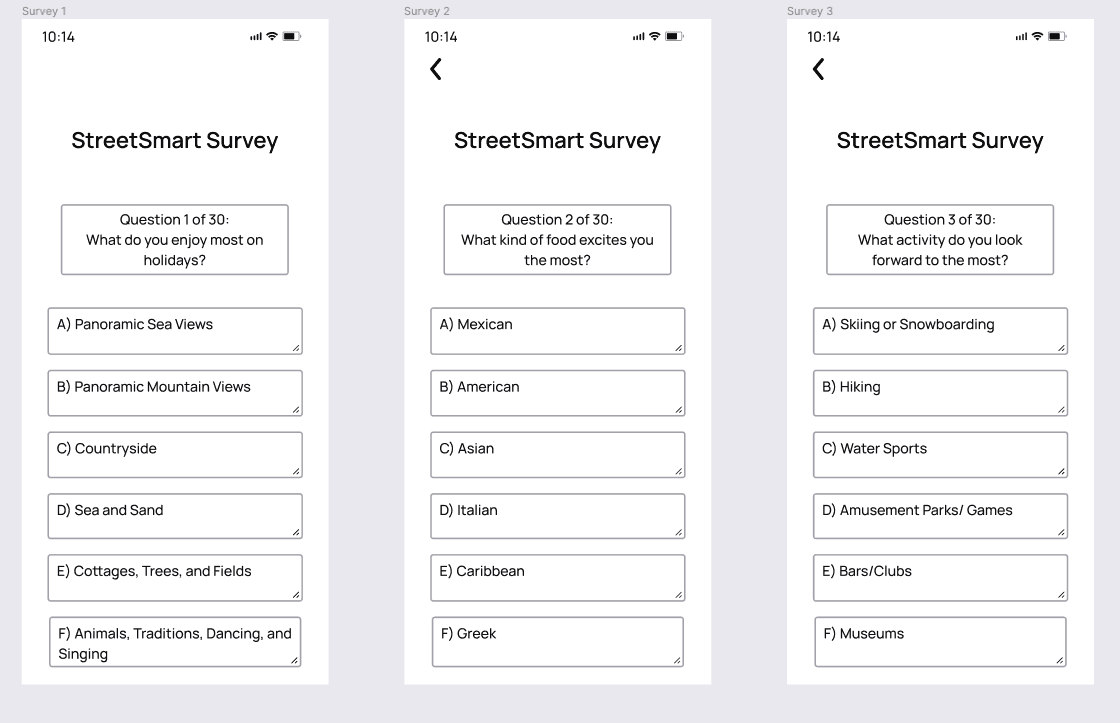
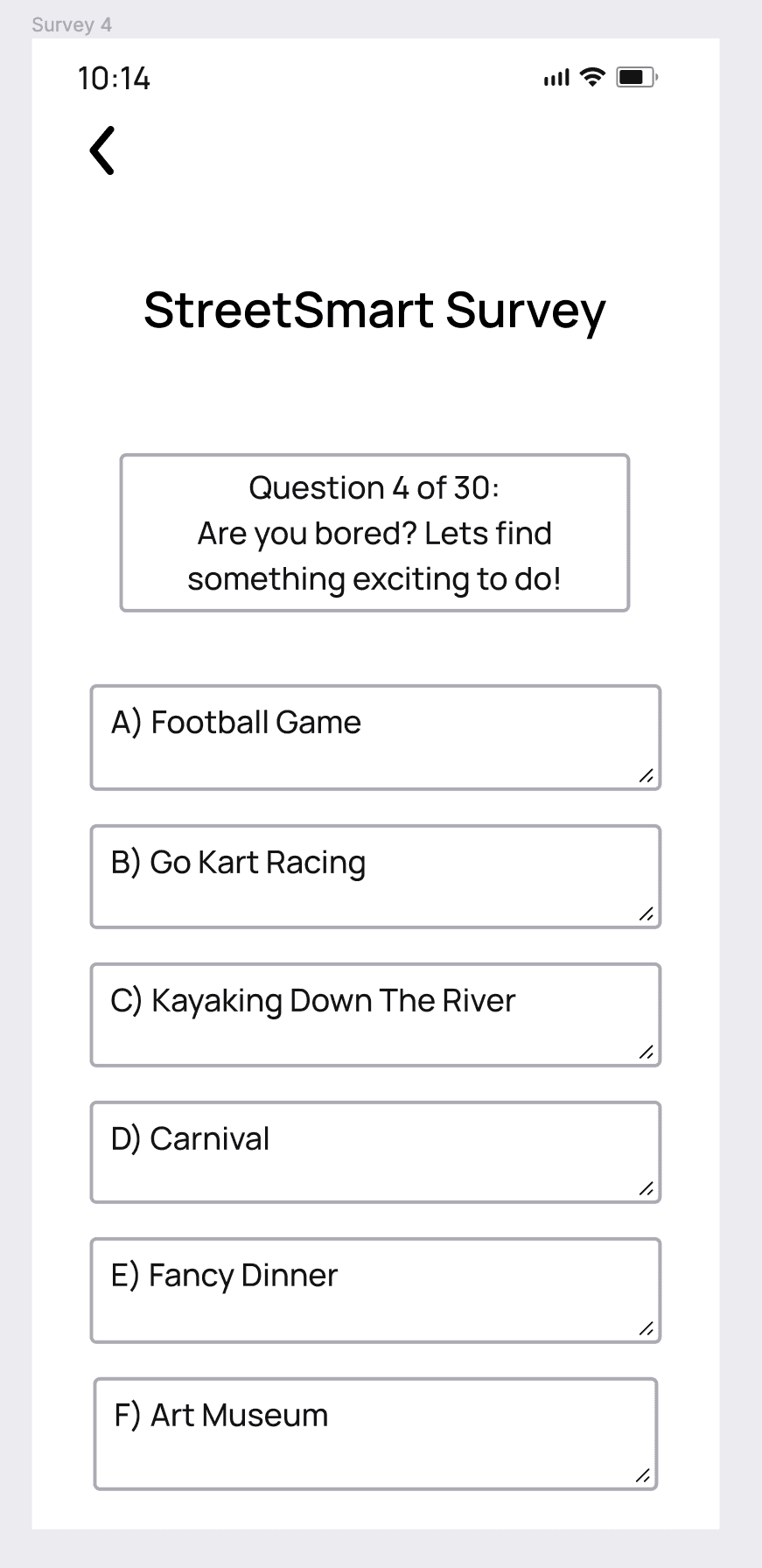
  • 4-minute onboarding (~30 questions)

  • Multiple-choice format, mobile-optimized

  • Dynamic questioning: Questions 11+ adapt based on first 10 responses

  • Progress indicators and back navigation


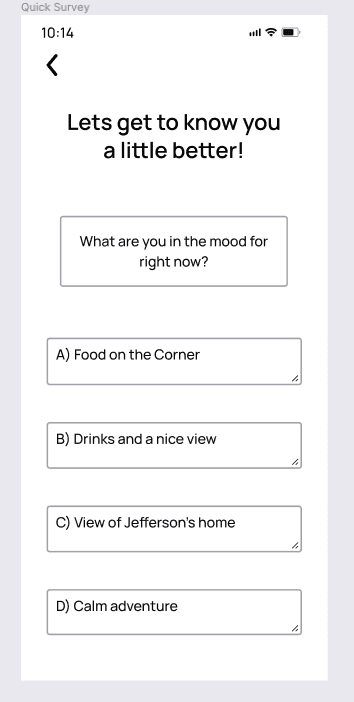
In-the-Moment Quick Surveys:

  • Brief check-ins triggered by notifications or user initiation

  • "How are you feeling?" / "What are you hungry for?" prompts

  • Refines recommendations beyond initial profile


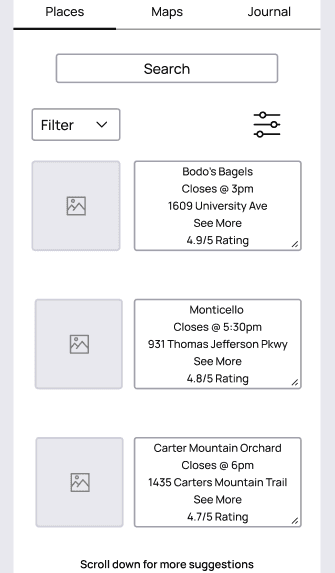
Places Tab:

  • Search bar + scrollable business list

  • Filter button (left) for activity type, ratings, location

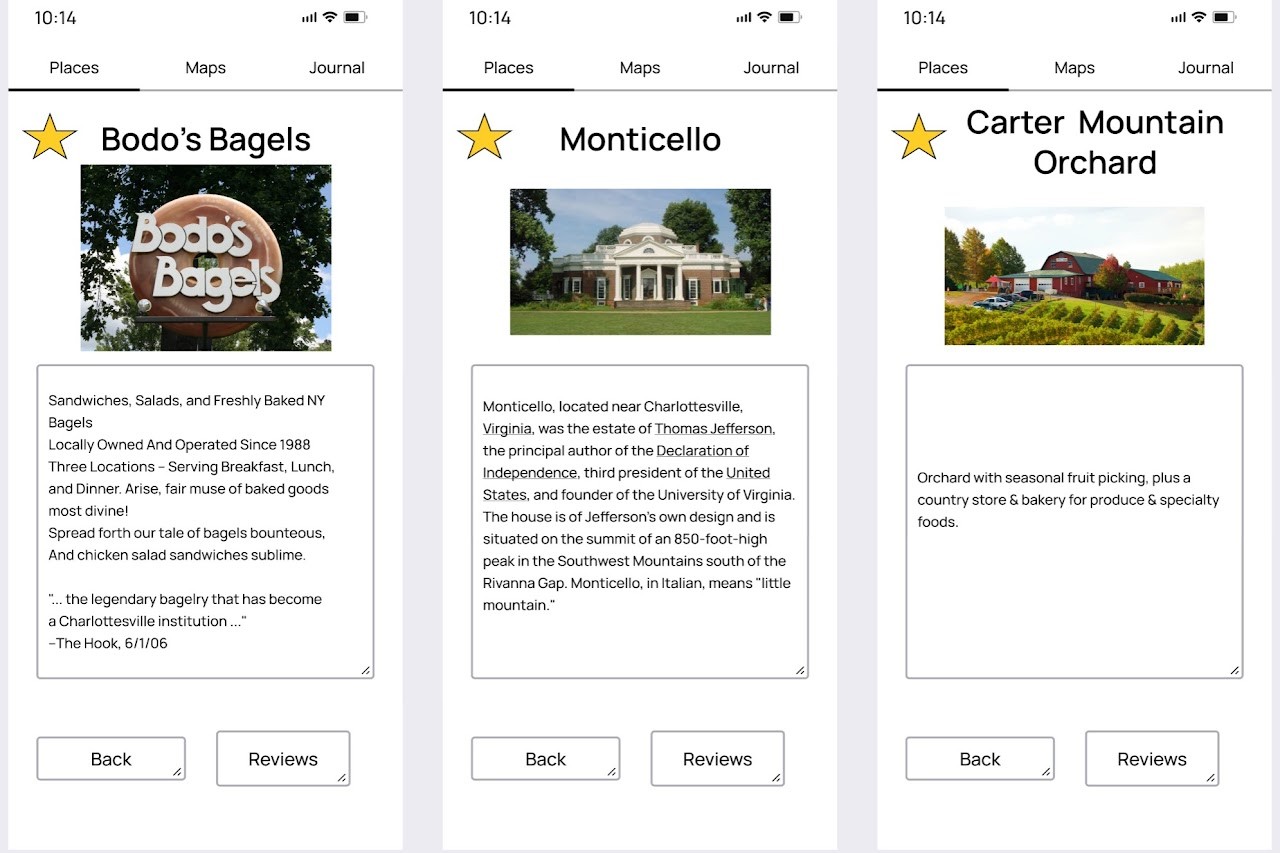
  • Business cards show: name, hours, rating, location, photo

  • Tap card → detailed business page with favoriting (star icon)

  • Settings button (right) accesses account, FAQs, privacy


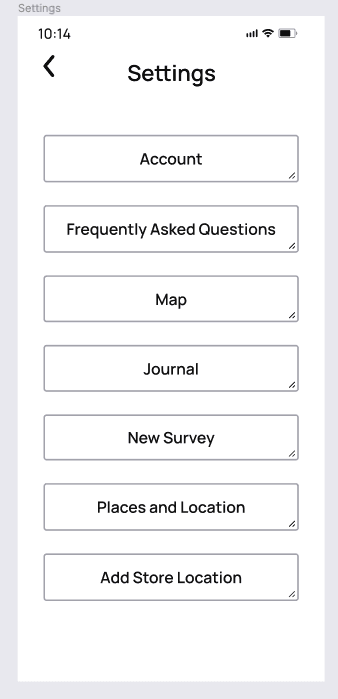
Settings Page:

  • Account, FAQs, Map settings, Journal settings

  • "New Survey" (retake for different destinations)

  • "Add Store Location" (for business accounts)

  • Privacy settings toggle


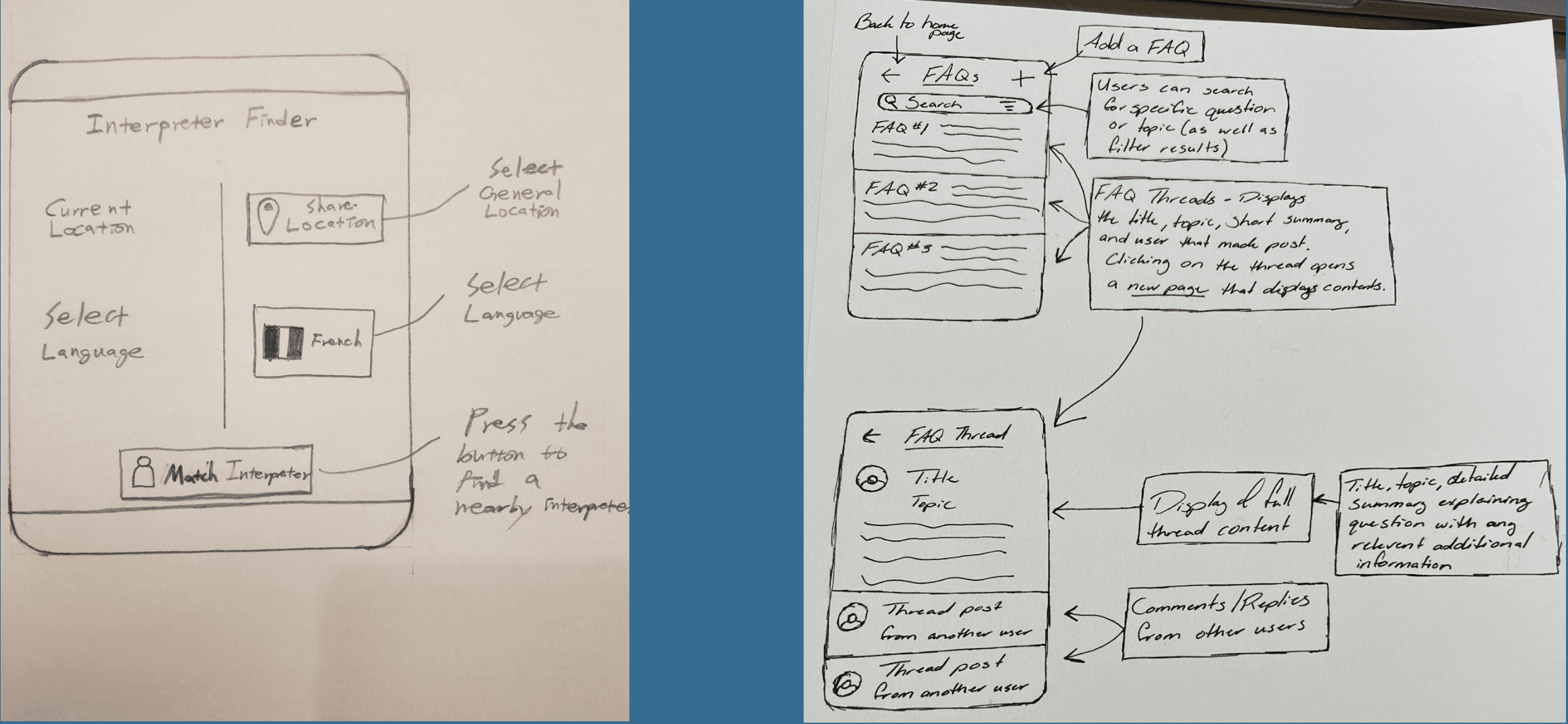
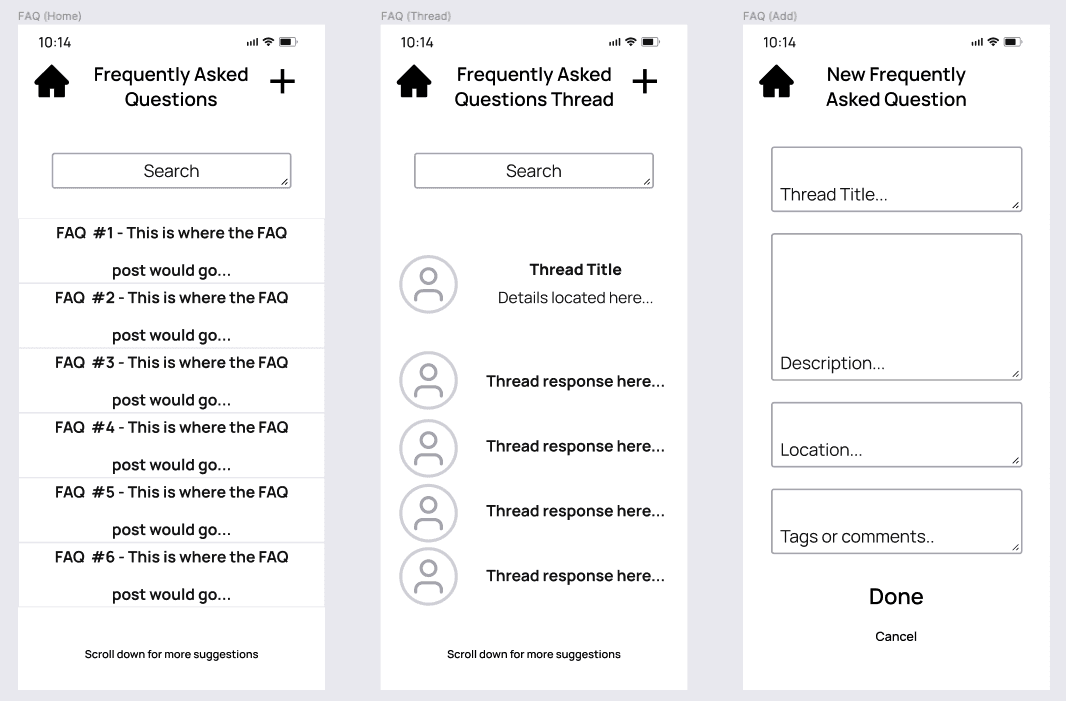
FAQ Feature:

  • Search bar for specific questions

  • List of location-specific frequently asked questions

  • Tap question → thread with user responses

  • "+" button to post own questions

  • Save frequently viewed FAQs for offline access


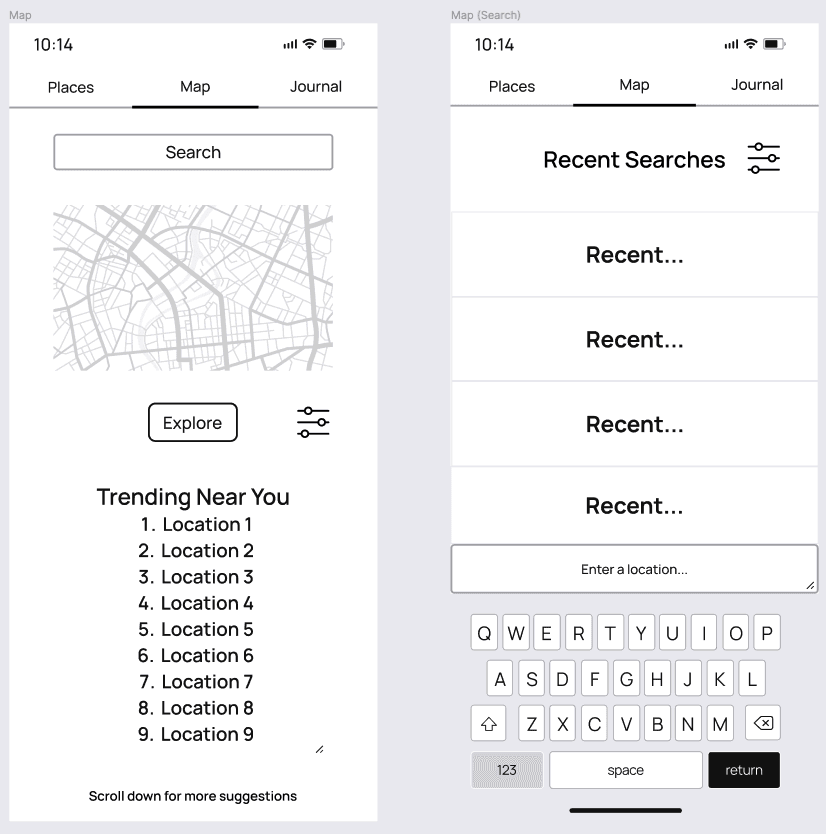
Map Tab:

  • Search bar with recent search history

  • Interactive map view (Google Maps integration)

  • Trending locations list below map

  • Filter button for location types

  • Settings button


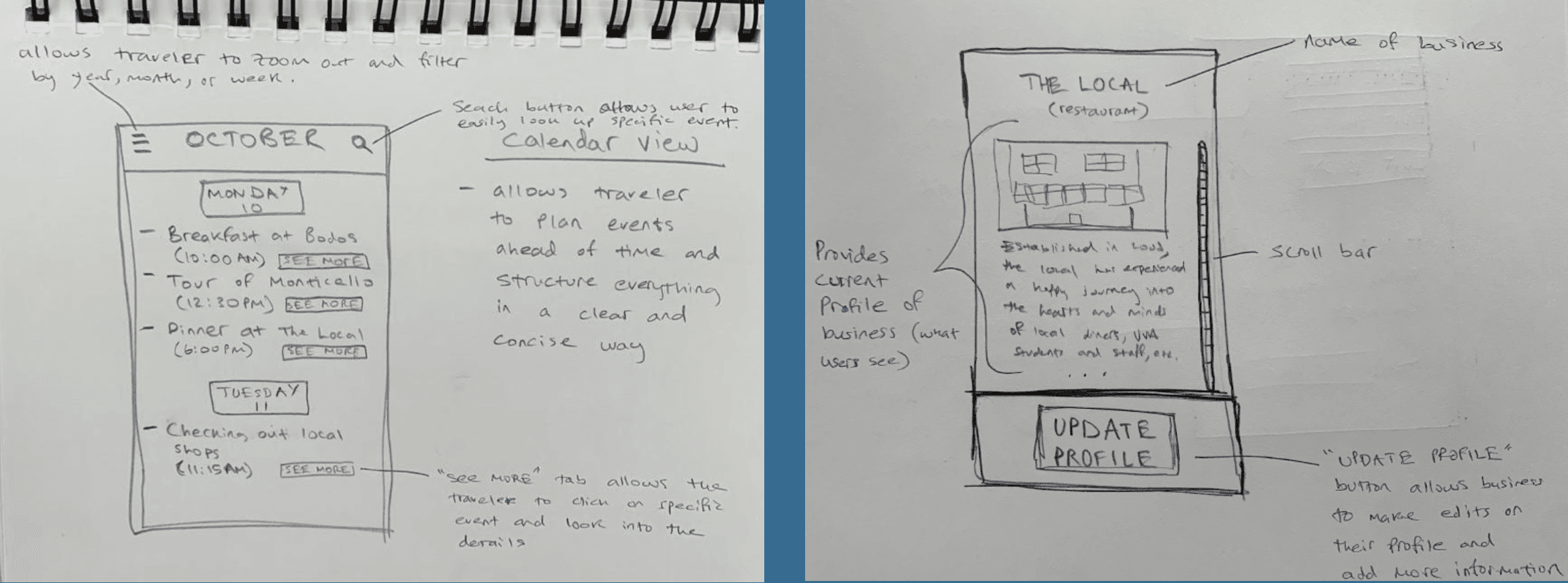
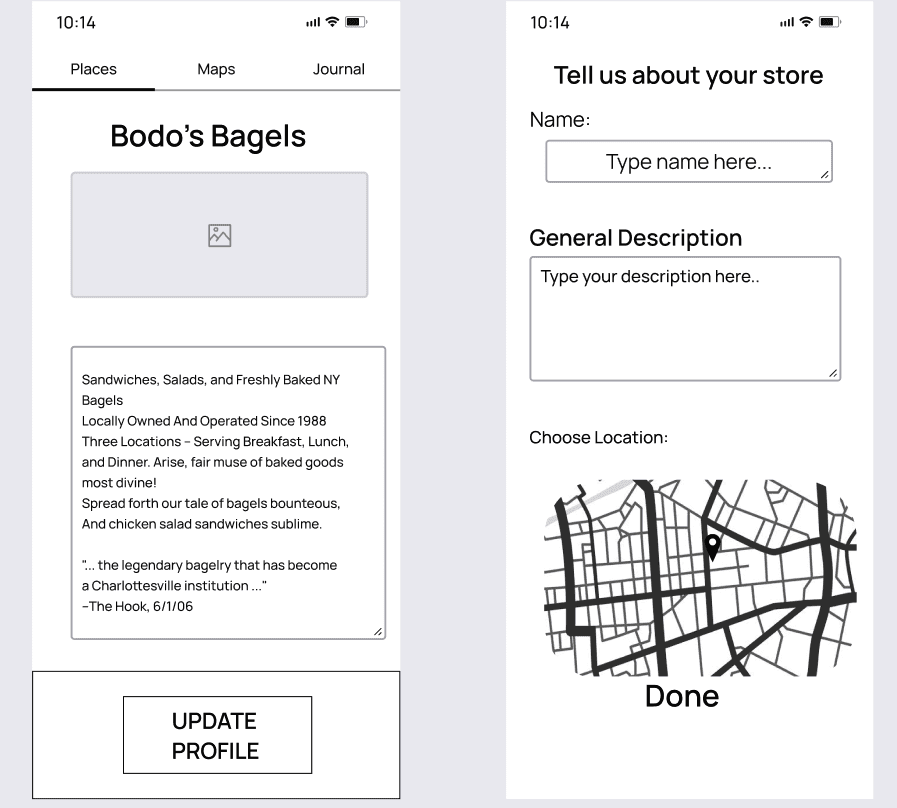
Places on Map (Detailed View):

  • Business photo, description, hours, ratings

  • "Upload Profile" button (for business owners)

  • Add/edit location functionality

  • "Done" button saves changes


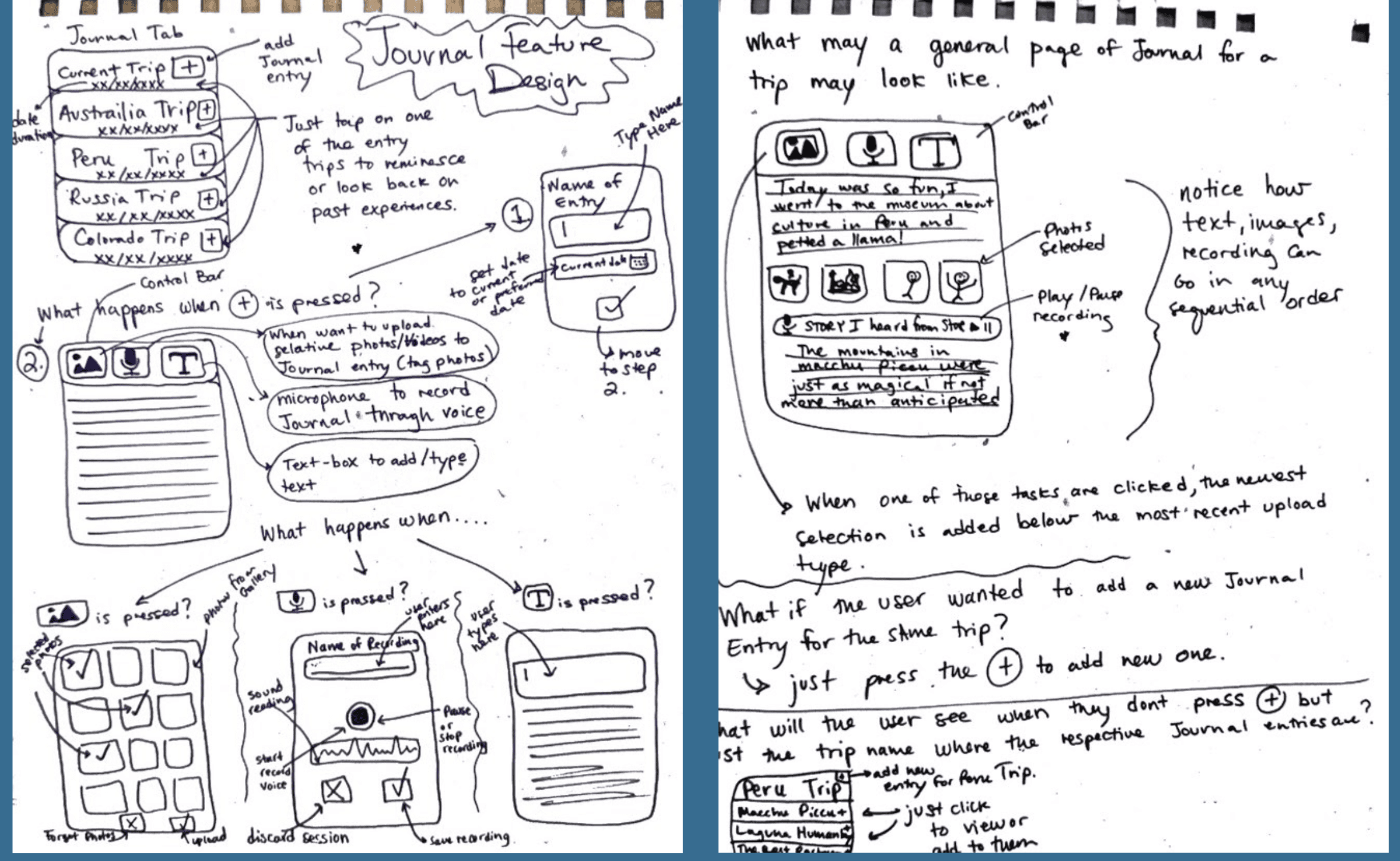
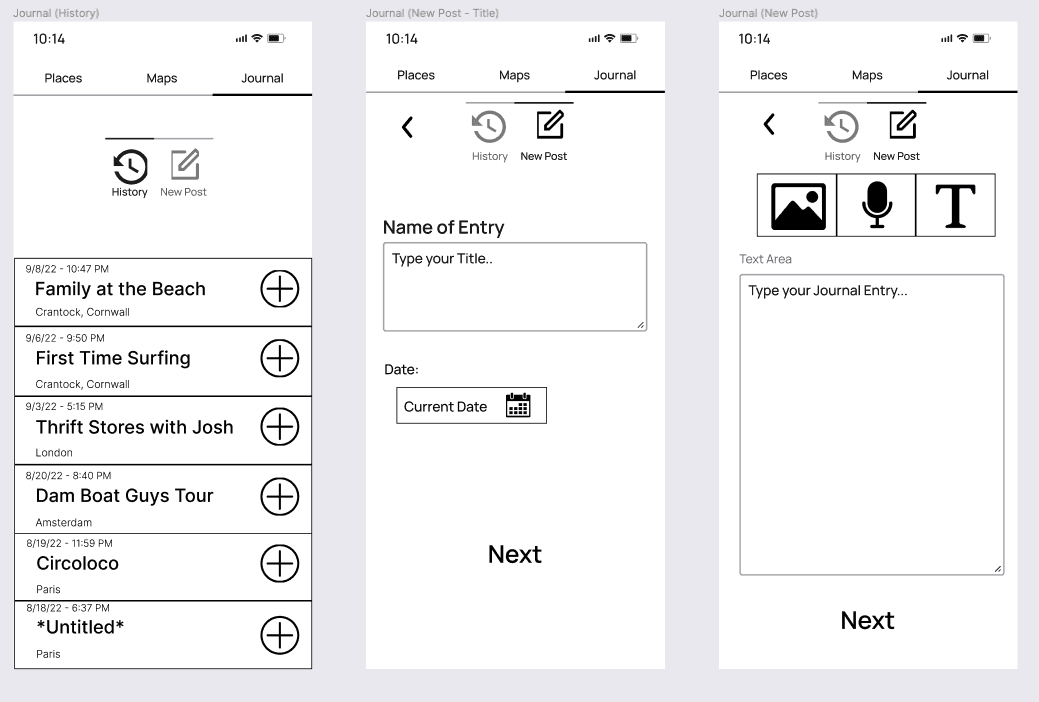
Journal Tab:

  • Past journals displayed chronologically

  • "+" button creates new journal

  • "New Post" → name entry, date selection, content creation

  • "History" → view/edit past entries


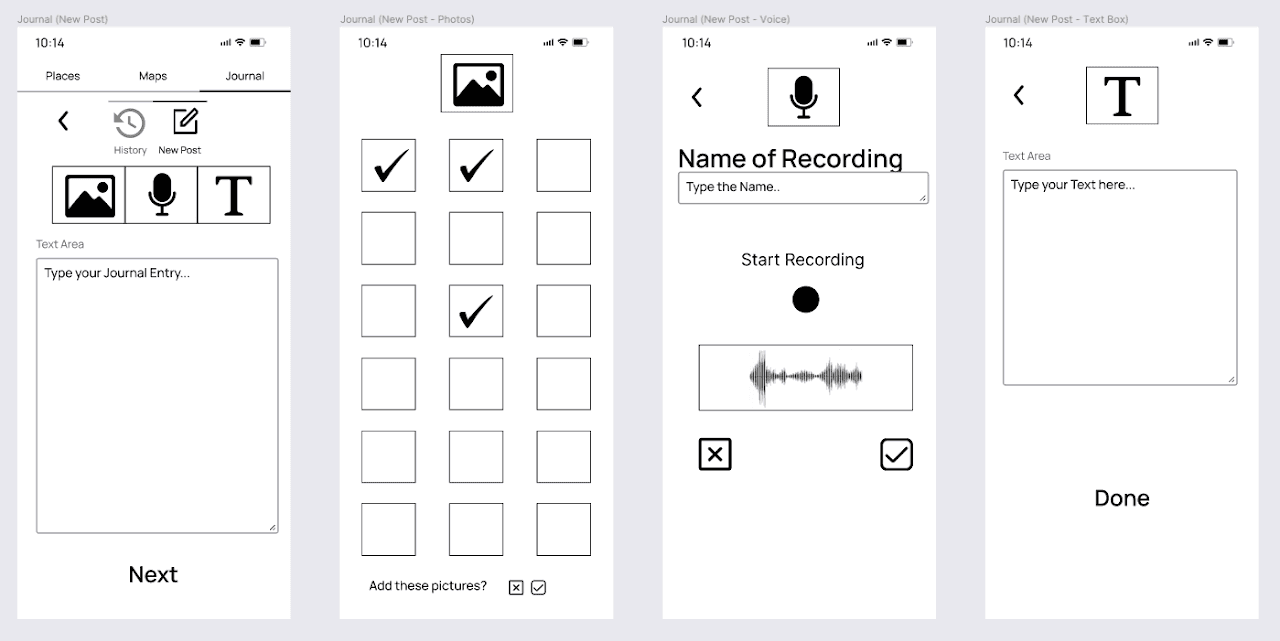
Journal Entry Types:

  • Text: Standard text entry with formatting

  • Photos: Camera roll integration, multi-select, preview before adding

  • Voice Recording: Name recording, record button, playback, save/discard

  • Text Box: Separate formatted text blocks within entry


Representative User Feedback (Alex Howell):

  1. Where is the color in your wireframes? → Led to high-fidelity prototype development

  2. Lock Screen Journal Access: Requested quick-access widget—team-created whiteboard mockup

  3. Uniqueness Concern: Emphasized need for differentiation from existing apps

  4. Journal Privacy: Suggested friend-sharing instead of public posting (implemented in Phase 4)


UX Goals & Targets

Goal 1: Minimum Step Number
Rationale: Fewer navigation steps = faster mastery = higher adoption
Target: Maximum 3 taps from the home screen to any core feature

Goal 2: Wider Range of User Groups
Rationale: Simplicity + customization attracts diverse demographics
Target: Customizable colors, button outlines, font sizes
Vision: Useful across age, gender, and ability regardless of demographics

Goal 3: User Satisfaction in All Aspects
Rationale: Creative features + safety + community interaction = retention
Target Metrics:

  • Intuitive labeling/navigation: 4+/5

  • Clear instructions: 4+/5

  • Button-task matching: 4+/5

  • Design layout efficiency: 4+/5

  • Overall satisfaction: 4+/5


Design Refinements

Removed: Calendar Feature

Client Feedback: "Many people already use calendar apps like Apple/Google Calendar—they won't use another one."

Design Studio Validation: Multiple students echoed: "I already have a calendar app."

Decision: Removed full calendar feature to avoid redundancy and reduce feature bloat. Maintained simple event tracking through Wishlist.


Added: Wishlist Feature

Purpose: Lightweight alternative to calendar—saves places users want to visit without date scheduling

Design:

  • Star icon (top-left of business cards) adds to Wishlist

  • White star = not saved; Yellow star = saved

  • Separate "Wishlist" page displays all favorited locations

Rationale: Uses familiar star metaphor (natural mapping). Provides memory aid without calendar app redundancy.

User Feedback: Client, TAs, and students all confirmed usefulness—"I can see myself using this."


Added: Journal Sharing Feature

Design Studio Request: Students wanted social media-style journal sharing

Client Refinement: Emphasized privacy—must have granular control

Implementation:

  • Share button (arrow icon) on each journal entry

  • Share to: iMessage, Facebook, Instagram, Pinterest, Email

  • Privacy settings: Public (everyone), Private (friends only), Personal (no sharing)

  • Toggle in settings for default privacy preference

Rationale: Addresses social engagement desire without forcing public exposure.


View full case study

Get in Touch

I'm currently seeking Junior Product Design, UX Design, and UX Research opportunities. Let's chat!

Get in Touch

I'm currently seeking Junior Product Design, UX Design, and UX Research opportunities. Let's chat!

Get in Touch

I'm currently seeking Junior Product Design, UX Design, and UX Research opportunities. Let's chat!