UVA Alumni Association
Redesigning an internal intranet for UVA Alumni Association staff, cutting file retrieval time by 50% and lifting employee satisfaction from 6.2 to 8.9 NPS.
Product Design

Overview
Role: UX Designer | WordPress Developer | Technical Writer
Timeline: 2 years
Tools: WordPress, Figma, Microsoft Office, Google Suite
Platform: Desktop
The UVA Alumni Association runs a team of 100+ staff across multiple departments. For years, their internal intranet was the bottleneck nobody talked about — files buried in inconsistent folder structures, no reliable search, and no shared space for cross-department collaboration. Work that should have taken seconds was taking minutes, and the friction was invisible until you went looking for it.
This project was a full intranet redesign: from discovery through information architecture, Figma prototyping, and final WordPress implementation.
Note on confidentiality
Due to an NDA with the UVA Alumni Association, detailed screenshots of the live intranet can't be shared. The process artifacts below — personas, information architecture, and research findings — contain only generalized or publicly safe information. For a deeper walkthrough, reach out directly.
The Problem
Staff across departments had adapted workarounds to deal with a broken system — emailing files instead of sharing them, maintaining personal folder copies, contacting IT for help finding documents that should have been self-serve. The intranet existed, but nobody trusted it.
Three issues came up consistently across every department:
Files were stored without a consistent naming convention or structure, making retrieval unreliable
There was no search functionality — finding anything required knowing exactly where it was saved
No shared collaboration space meant cross-department work happened outside the platform entirely
Research
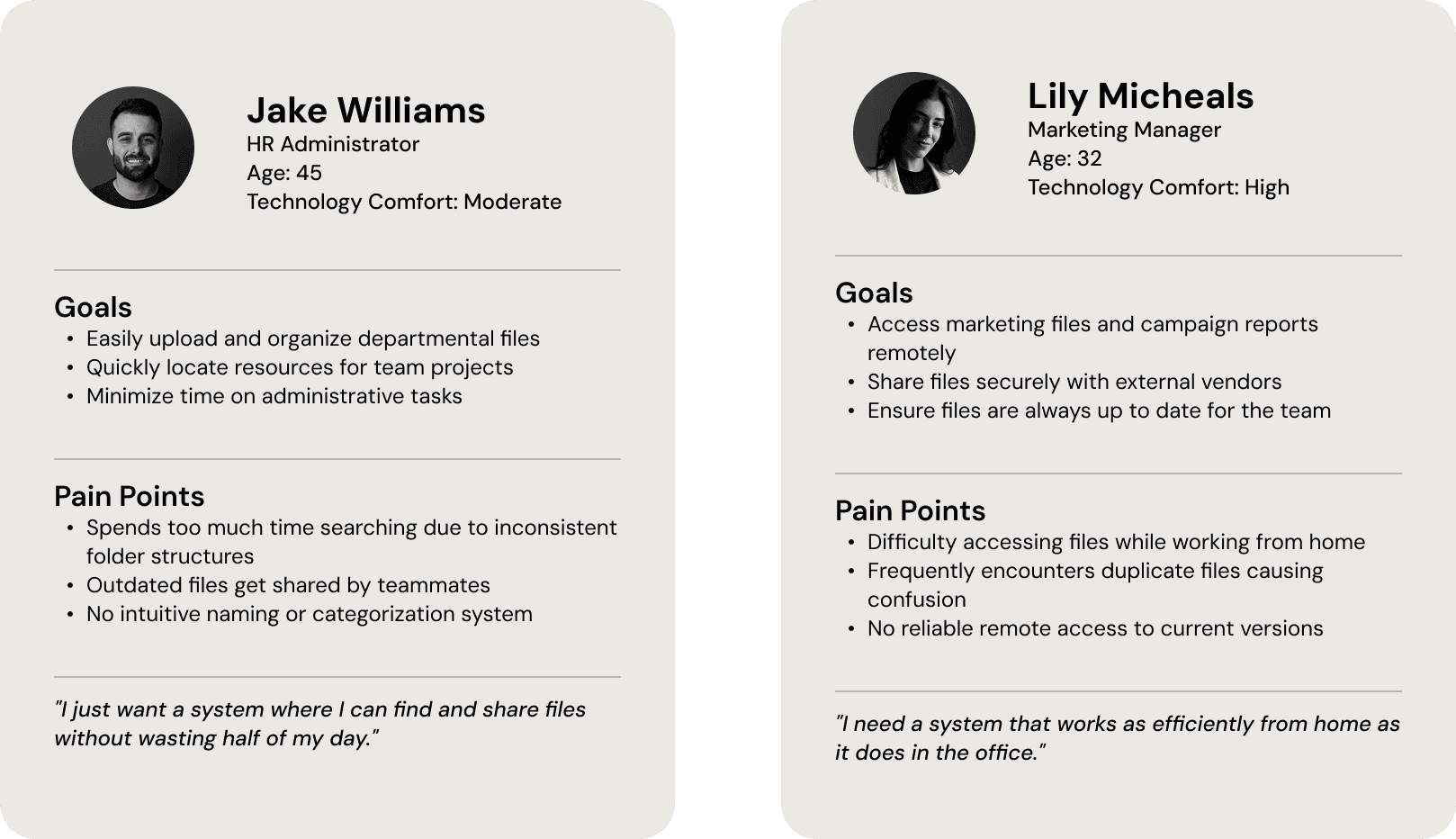
To understand the scope of the problem, I conducted 7–10 staff interviews across departments, targeting people with different roles and file access needs. The goal was to understand not just what was broken, but what workarounds people had built around it — because workarounds tell you what the system was actually failing to provide.
I also ran a competitive analysis of established intranet solutions to identify structural patterns that reduce cognitive load for frequent file users.
What I heard
Staff weren't frustrated with technology — they were frustrated with inconsistency. The same file could be in three different places depending on who had last touched it. New employees had no onboarding path into the file system. Senior staff had developed muscle memory for a structure that made no logical sense to anyone else.
The clearest signal: people had stopped going to the intranet first. They went to a colleague instead.
Information Architecture
Before touching any UI, the file structure needed a complete overhaul. The existing system had grown organically over the years. Departments had named and organized folders independently, and there was no top-level logic connecting them together.
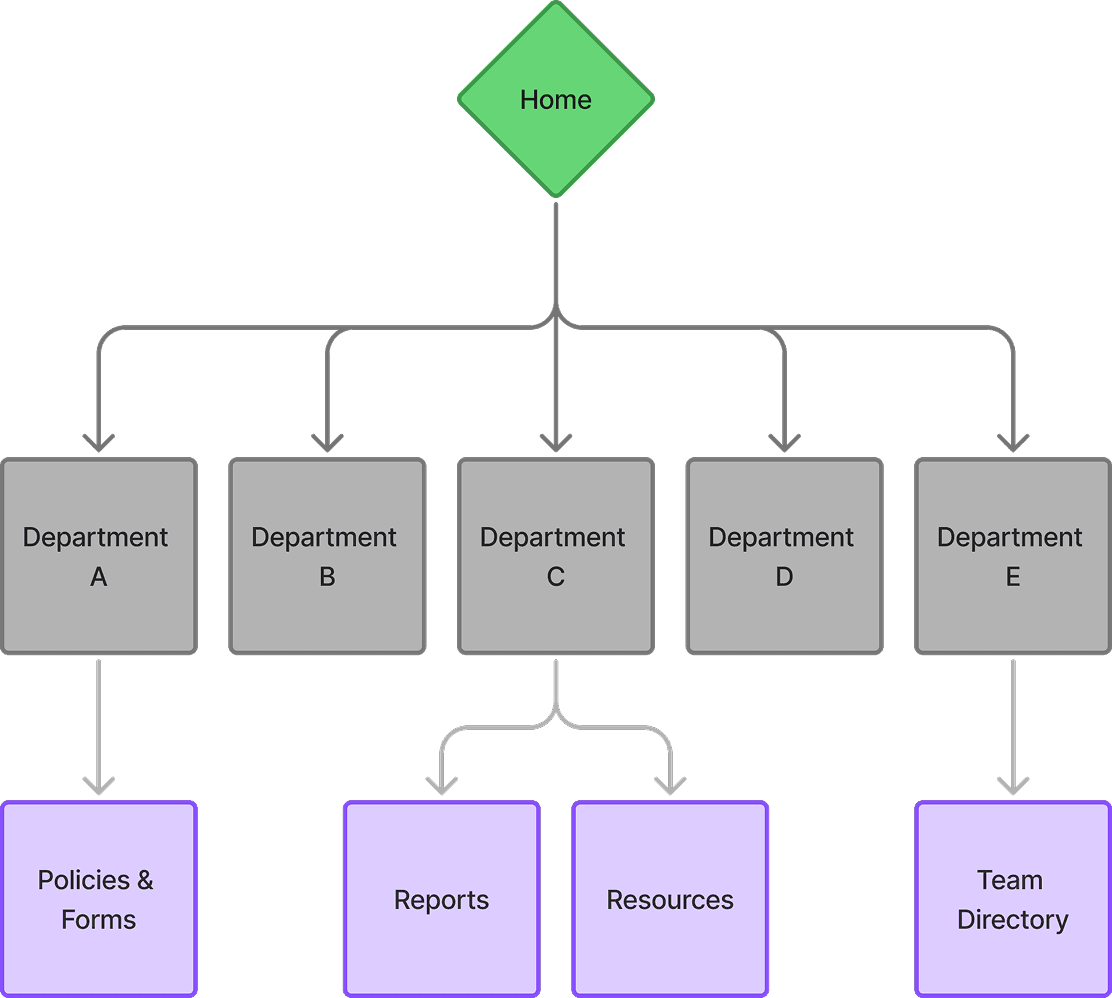
The redesigned architecture introduced a consistent three-tier structure: department → function → document type. Every file had one canonical home. Navigation was built around how staff actually searched — by task and department — not by how files had historically been stored.
Design & Build
With the structure validated through staff feedback, I moved into Figma to prototype the navigation and key user flows before building in WordPress. The prototype focused on three things: getting to a file in under three clicks, surfacing search results that were actually relevant, and giving staff a shared space for active collaboration without replacing tools they already used.
Key decisions made during this phase:
The search feature was built with keyword and filter support — department, file type, and date modified — because staff described needing to find things quickly without knowing exact file names. A single search bar wasn't enough.
The collaboration space was deliberately scoped to be narrow: shared documents and announcements only. Earlier versions included a full messaging feature, but staff feedback made clear they weren't looking for another communication tool — they wanted a reliable file hub.
WordPress was chosen for implementation because it kept the platform maintainable by non-technical staff without ongoing developer involvement, which was a hard requirement from the outset.
Results
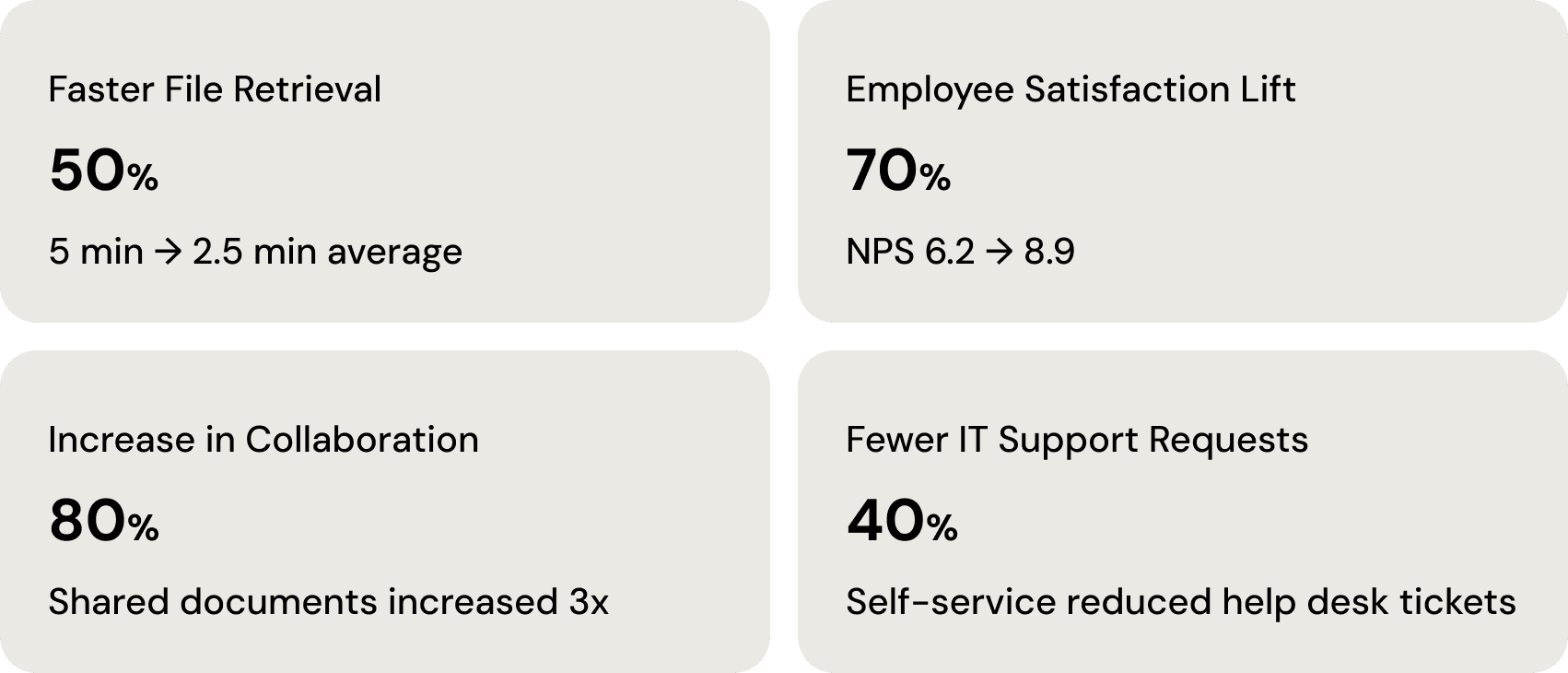
Within 6 months of launch, the intranet went from a system staff avoided to one they relied on daily. The IT support reduction was the most immediate signal — it meant staff could find what they needed without asking for help, which was the core goal from the start.
Reflection
Two years on a single product teaches you things a shorter project can't. The most important one: the best IA in the world fails if the people using it weren't part of building it. Early buy-in from department leads, getting them to validate the folder structure before anything was built, was what made the adoption smooth. If I'd handed them a finished system, they would have worked around it the same way they worked around the old one.
The other thing this project reinforced: scope discipline. The collaboration feature went through three rounds of reduction before it was right. Every time we added something, someone on staff would say they already had a tool for that. The final version did less and worked better because of it.
Next Steps
Run structured usability testing to identify friction points that only surface at scale
Explore personalized dashboard views so staff see the files and announcements most relevant to their role
Build an onboarding flow for new employees that guides them through the file structure in their first week